The whole staff file
Qualifications, subjects they can teach, CNIC, contract type, joining and confirmation dates, documents — per campus.
Staff, HR and payroll
Everybody who works for you, from joining to leaving, and a monthly payroll that calculates tax, EOBI, provident fund and loan recovery — then waits for your approval.
Start a free trial See pricing
14 days free · No card required
The month's payroll is calculated from salary structures, attendance and the rules you set. Nothing is paid until somebody with authority approves the run.
Qualifications, subjects they can teach, CNIC, contract type, joining and confirmation dates, documents — per campus.
Allowances, deductions, income tax slabs, EOBI and provident fund calculated in tested code, not a formula someone dragged too far.
Advances and loans deducted monthly until they are repaid, with the balance visible.
The monthly run is reviewed and approved before payslips and the bank file are produced.
Gratuity and final settlement calculated from your own policy, loans recovered as far as the settlement bears, and a login that stops working the day they go.
A month's payslips for the office, and each member of staff's own under My payslips — every line saying what it was for.
In the product
Every line explained, every deduction visible, and nothing paid until it is approved.
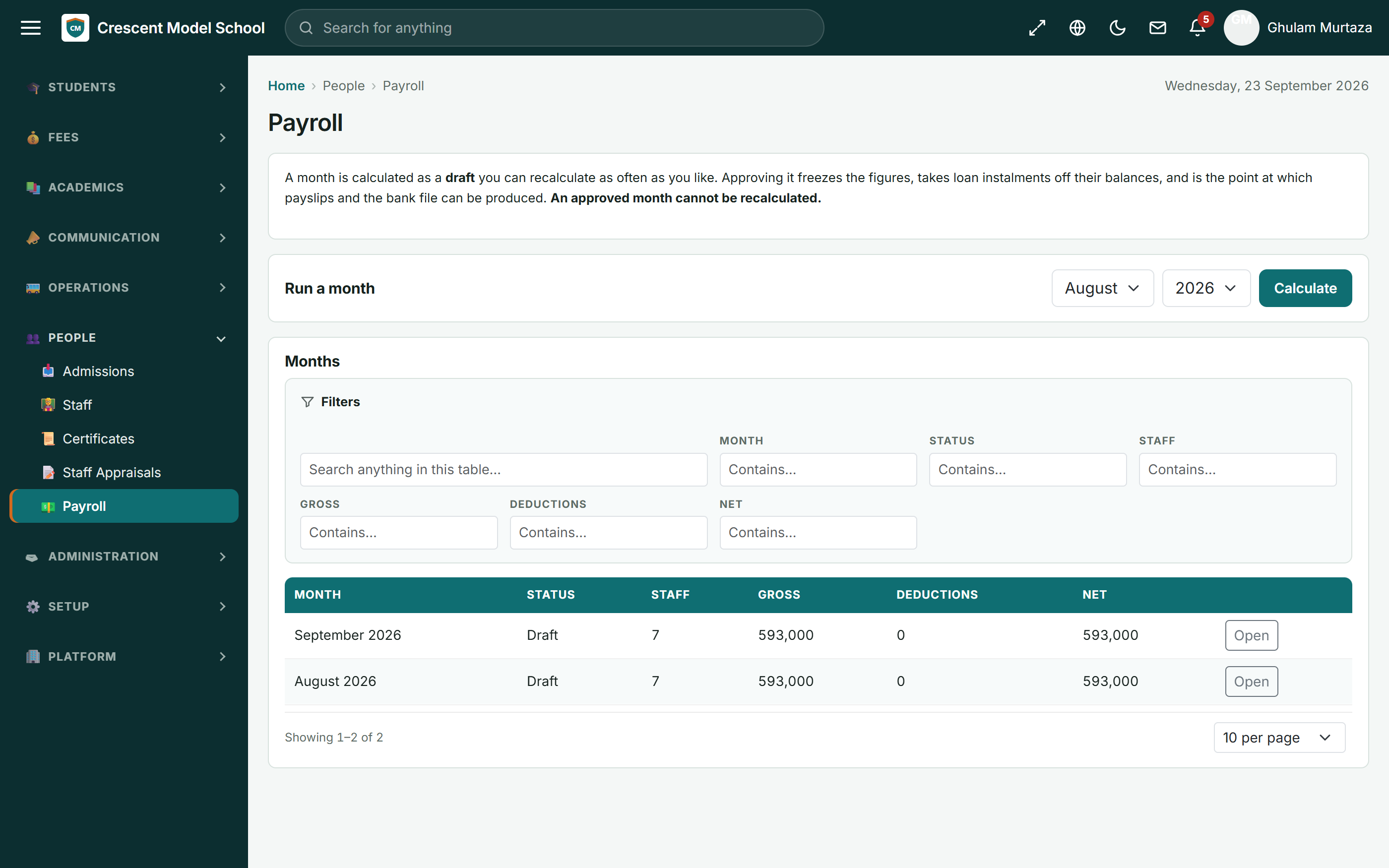
Each payslip shows what every line was for — overtime hours, unpaid days, tax and EOBI — with zero lines left off. When somebody leaves, their gratuity is worked out from your school's own policy and their service to the day.
Import the list or add people one by one, with their salary structure.
Attendance-based deductions, tax, EOBI, provident fund and loan instalments calculated.
Review the run and approve it.
Download the bank transfer file and issue payslips.
Slabs are stored as data, not code, so they can be updated for a new budget without waiting for a release.
Yes. Each member of staff sees their own payslips under My payslips — and never anybody else's.
Yes. Staff attendance and approved leave feed the month's run, and unpaid days are deducted where your school deducts for absence.
Payroll is part of the Professional plan. Staff records are in every plan.
Fourteen days free with everything in your plan switched on. No card to start, and we load a class list for you before the first call.
Double-entry books with a journal nobody can quietly edit — the trial balance and statements from them.
A weekly timetable that catches clashes as you build it, and suggests cover when a teacher is away.
The roles your school really has, and each person seeing only their own classes or their own child.