Your roles, your names
Vice Principal (Girls' Wing), Hostel Warden, Exam Superintendent — create the roles you have, starting from sensible templates.
Roles, permissions and data security
Roles your school actually has, permissions screen by screen, and data scoped so a teacher sees their own classes and a parent sees only their own children.
Start a free trial See pricing
14 days free · No card required
A new role can do nothing until you give it something. Each role also has a reach — the whole school, the classes they teach, their own children, or only their own record — and that reach is checked on every screen and every request.
Vice Principal (Girls' Wing), Hostel Warden, Exam Superintendent — create the roles you have, starting from sensible templates.
View, create, edit, delete, approve — granted per area, so an accountant can collect fees without editing marks.
A parent asking for another child's record gets nothing back. Every role's reach is enforced on the server, not just hidden in the menu.
Accounts that reach the money need a one-time code as well as a password, and repeated wrong passwords lock an account.
Who changed a mark, a fee, or an attendance record — kept and searchable.
In the product
Start from a template — Principal, Accountant, Class Teacher, Parent — and adjust it to your school.
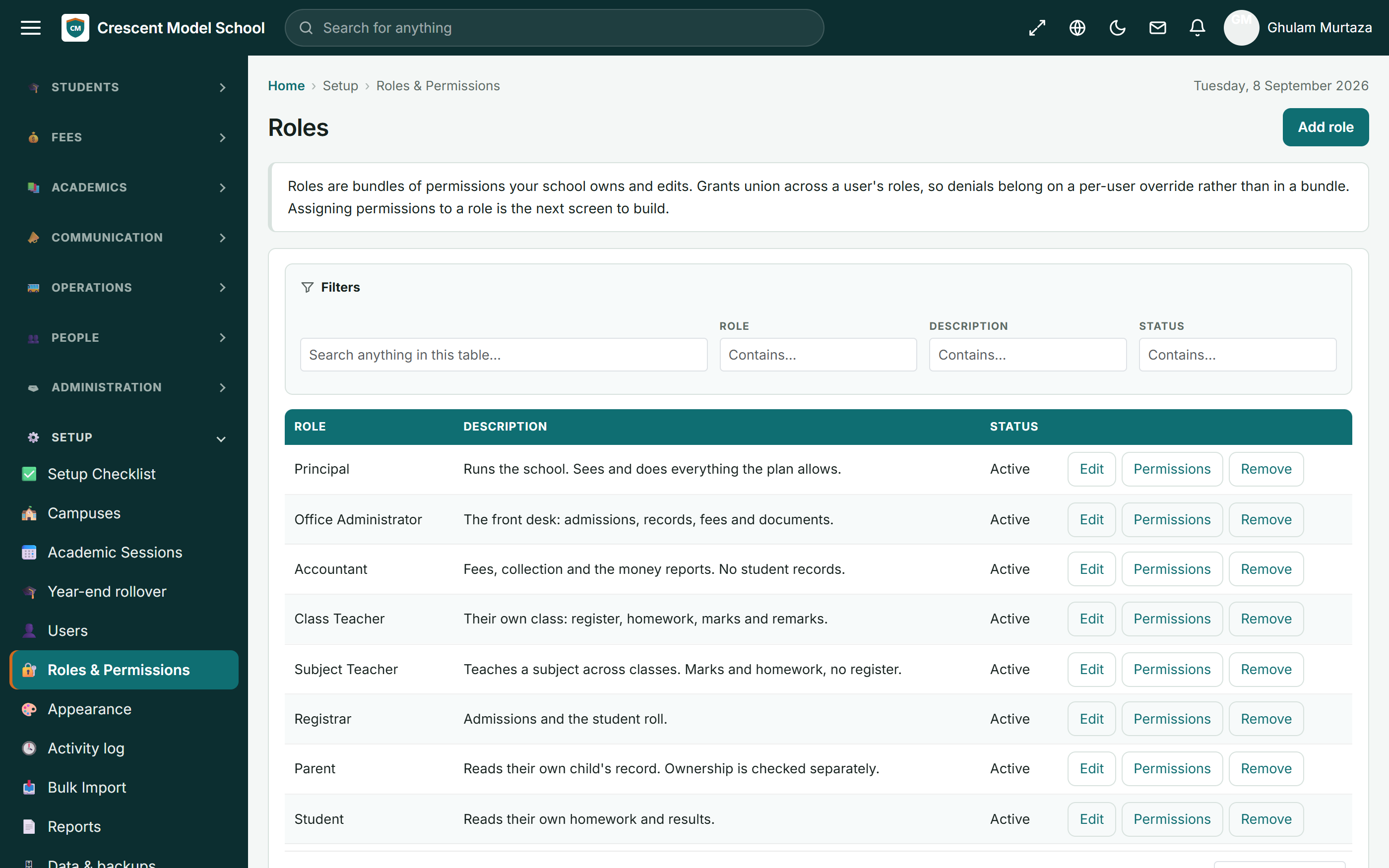
Every new school gets Principal, Campus Admin, Accountant, Registrar, Class Teacher, Subject Teacher, Parent and Student roles.
Rename, add, remove; tick what each role may do and how far its reach goes.
A person can hold more than one role — a teacher whose son attends sees their classes and their son.
Yes. Writes are recorded in the activity log with the person, the record and the time.
Only through audited platform access used for support, and only as the security page describes.
Their account is switched off. Their records stay, attributed to them.
The security page explains how schools are kept apart, how secrets are stored, and what we do not claim.
Fourteen days free with everything in your plan switched on. No card to start, and we load a class list for you before the first call.
Several campuses, or several schools, in one account — with consolidated figures for the group.
One record per child — guardians, siblings, documents and certificates — instead of four registers.
A principal's dashboard that opens in a blink, and the reports a school is actually asked for.