User guide
How the whole thing works
Written for the person who will actually use it — a registrar, an accountant, a class teacher — rather than for whoever signs the cheque.
Before anything else: setting up #
A new school starts empty on purpose. Four things have to exist before anybody can be admitted, and they exist in this order because each depends on the one before it.
- The academic session — April–March, August–May, or whatever your school runs. Almost every record in the product belongs to a session, which is what lets last year stay readable after the year-end.
- Campuses — One is fine. If you have several, create them now — a principal spans campuses and a campus administrator does not, and that distinction is far easier to set up than to retrofit.
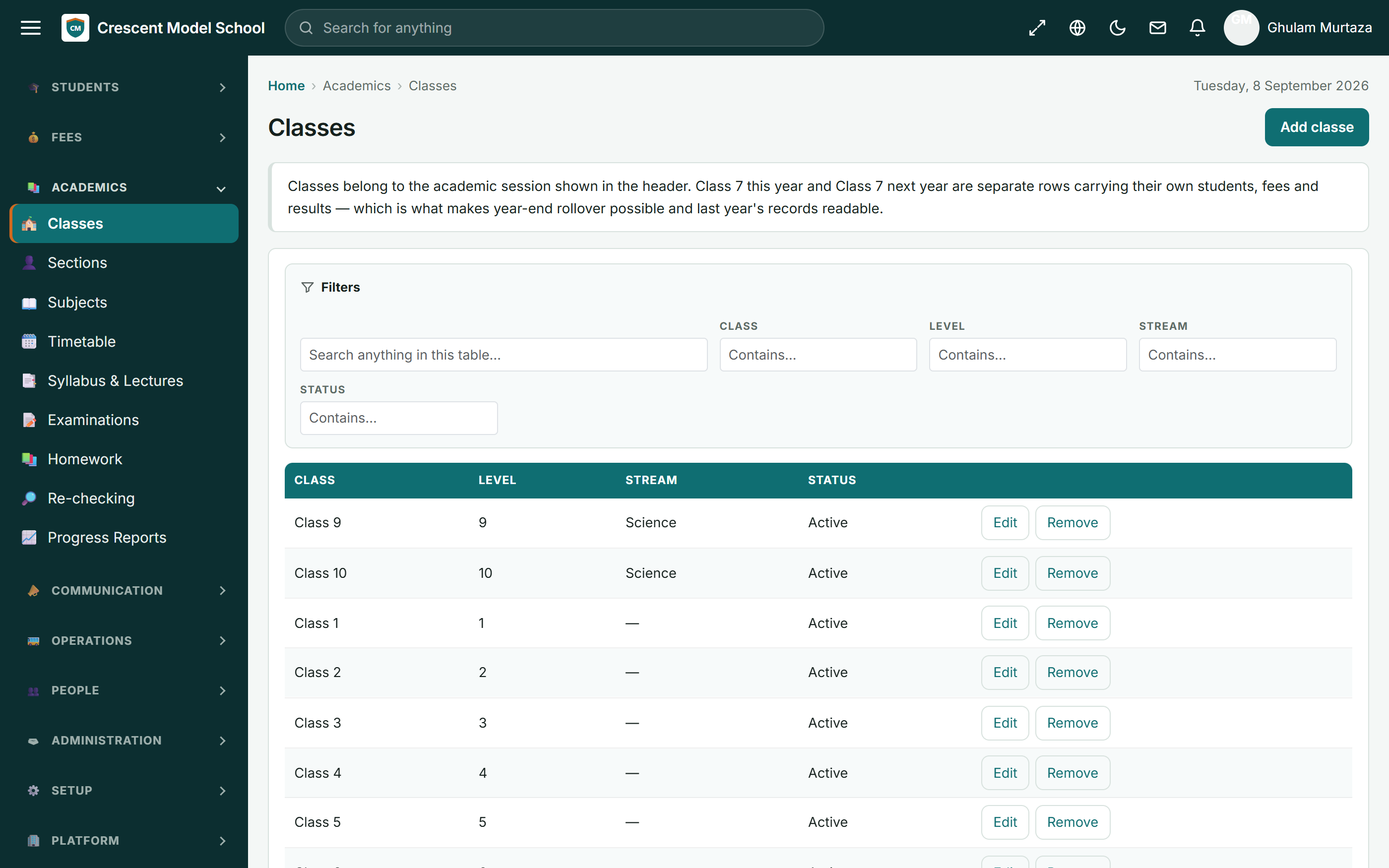
- Classes, then sections — A section always belongs to a class, so Class 5 comes before 5-A. This is why no screen ever offers you a bare list of sections called A, B and A again.
- Subjects, allocated to classes — And to teachers, once staff exist. Optional and elective subjects are marked as such rather than noted in a remark.
Roles, and who sees what #
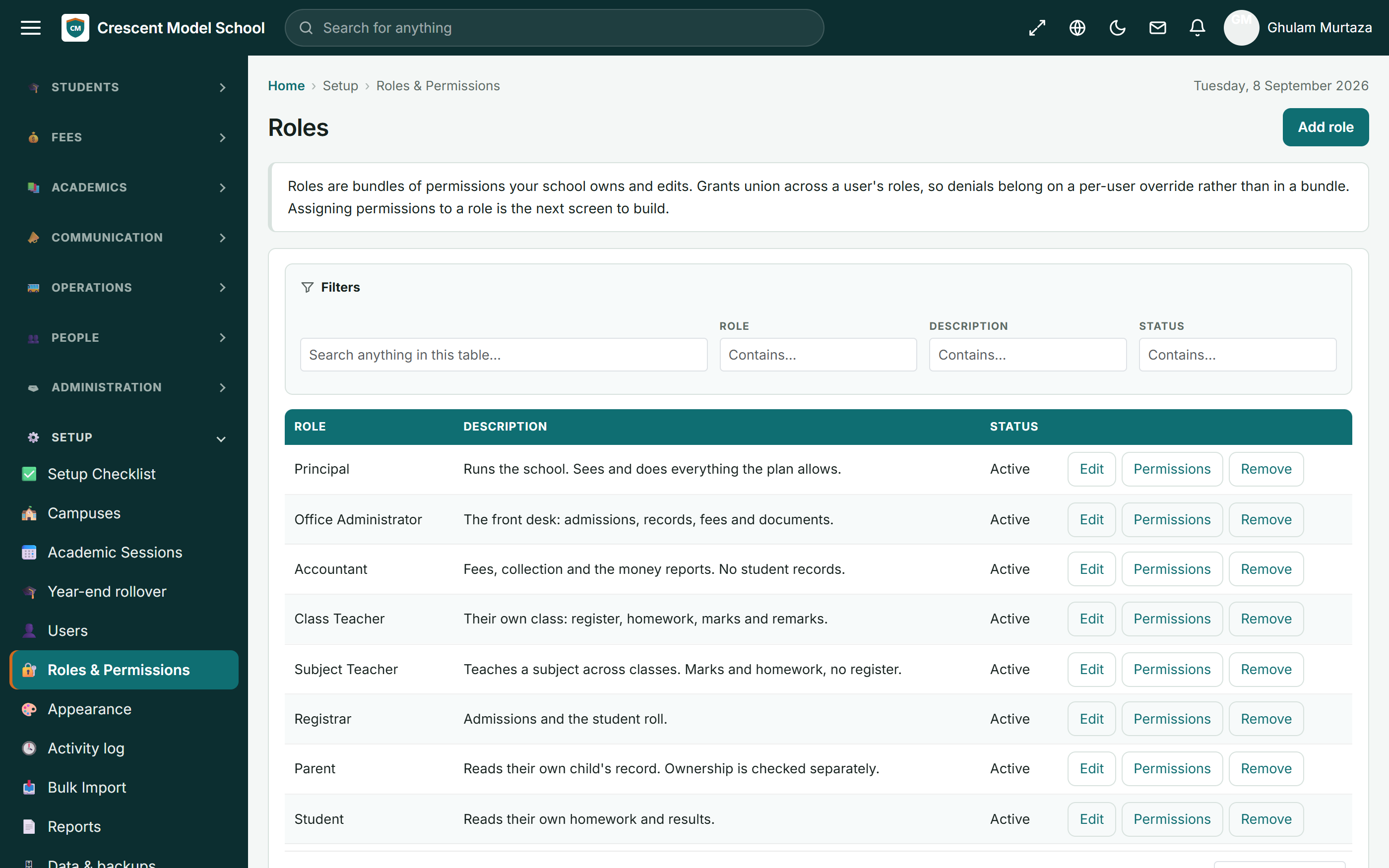
This is the screen most schools underestimate and end up using most. Your school starts with templates — Principal, Campus Admin, Accountant, Registrar, Class Teacher, Subject Teacher, Parent, Student — and you edit them freely.
- Nothing is granted by default. A new role starts with no access and is given exactly what it needs
- Permissions are per module and per action, so a role can view fees without being able to record a payment
- Per-user exceptions exist for the cases a role cannot express — one teacher who also runs the library, for instance
- A menu item nobody in a role can open is not rendered for them at all. The sidebar is a convenience, and the real check runs on every screen regardless
Admissions #
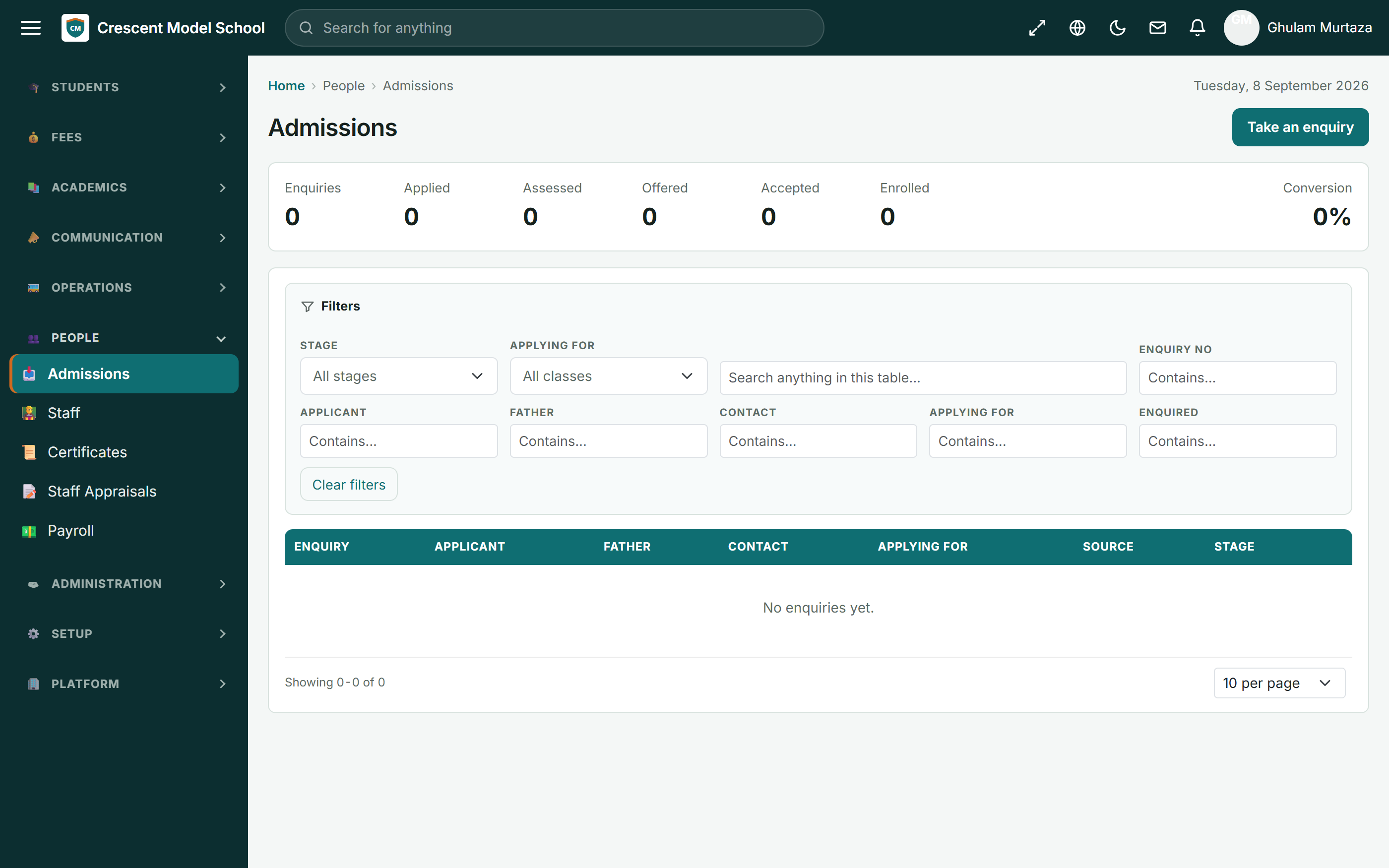
An enquiry becomes an admission through a pipeline, so nobody is lost between the phone call in January and the first day in April.
- Enquiry — From your own admission page, or typed in from a phone call. It records who asked, about which class, and when.
- Follow-up — Each stage records who last spoke to the family. This is the field that stops two people ringing the same parent.
- Test or interview — Where your school has one, with the outcome recorded.
- Offer and admission — On acceptance the enquiry becomes a student record — the details already captured are not retyped.
Students #
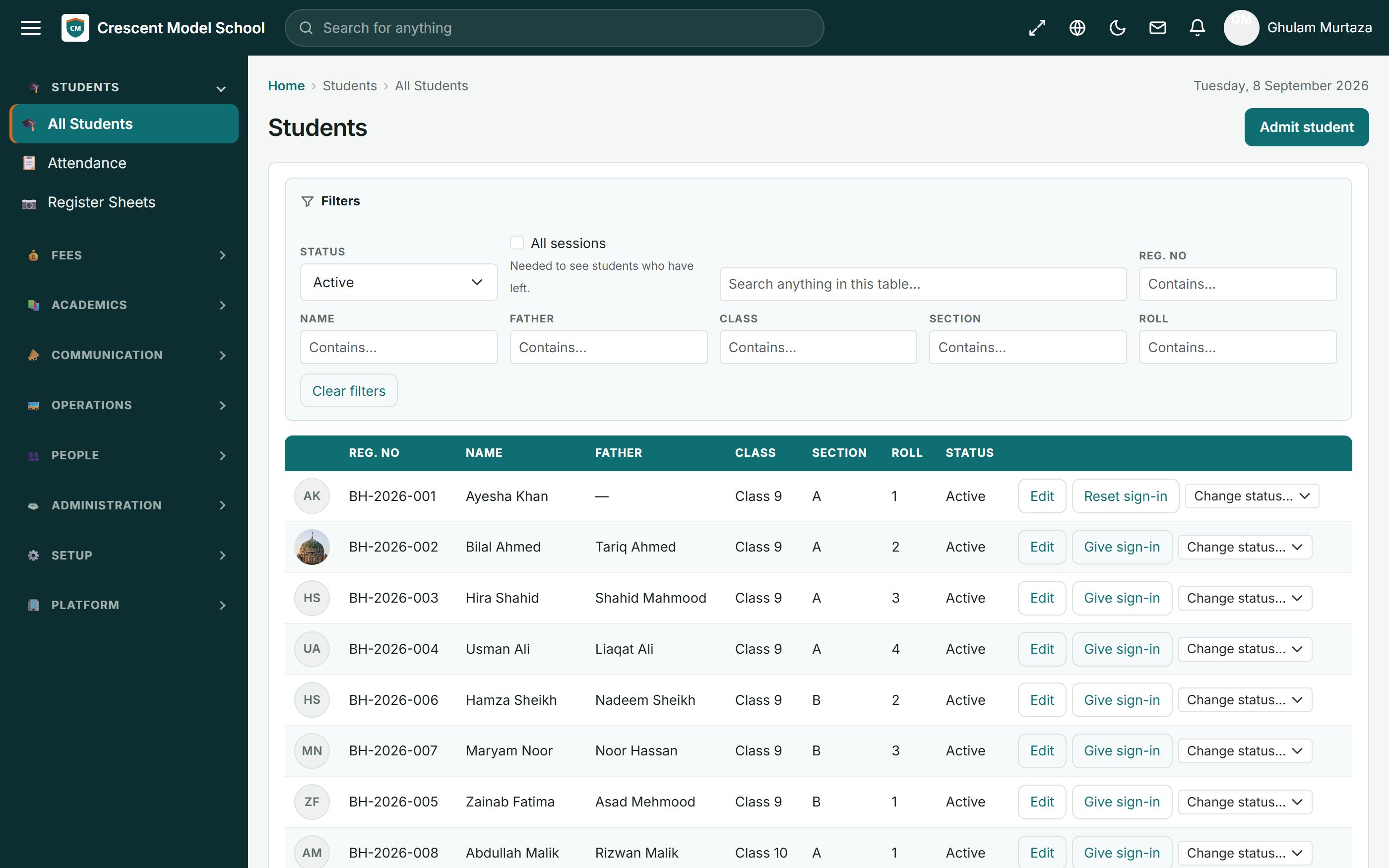
One record per child, holding everything four separate registers used to. The form is long because a school genuinely needs all of it eventually — but only the name, father's name and class are required to save.
- Name in English and Urdu; B-Form validated including its checksum, so a mistyped digit is caught at entry
- Father, mother and guardian separately, with contact numbers for each
- Present and permanent addresses, emergency contact and relationship
- Blood group, allergies and chronic conditions — the fields the infirmary needs in four seconds
- Previous schools, documents received, and a photograph
- Registration and roll numbers generated to your own format, gap-free
Attendance #
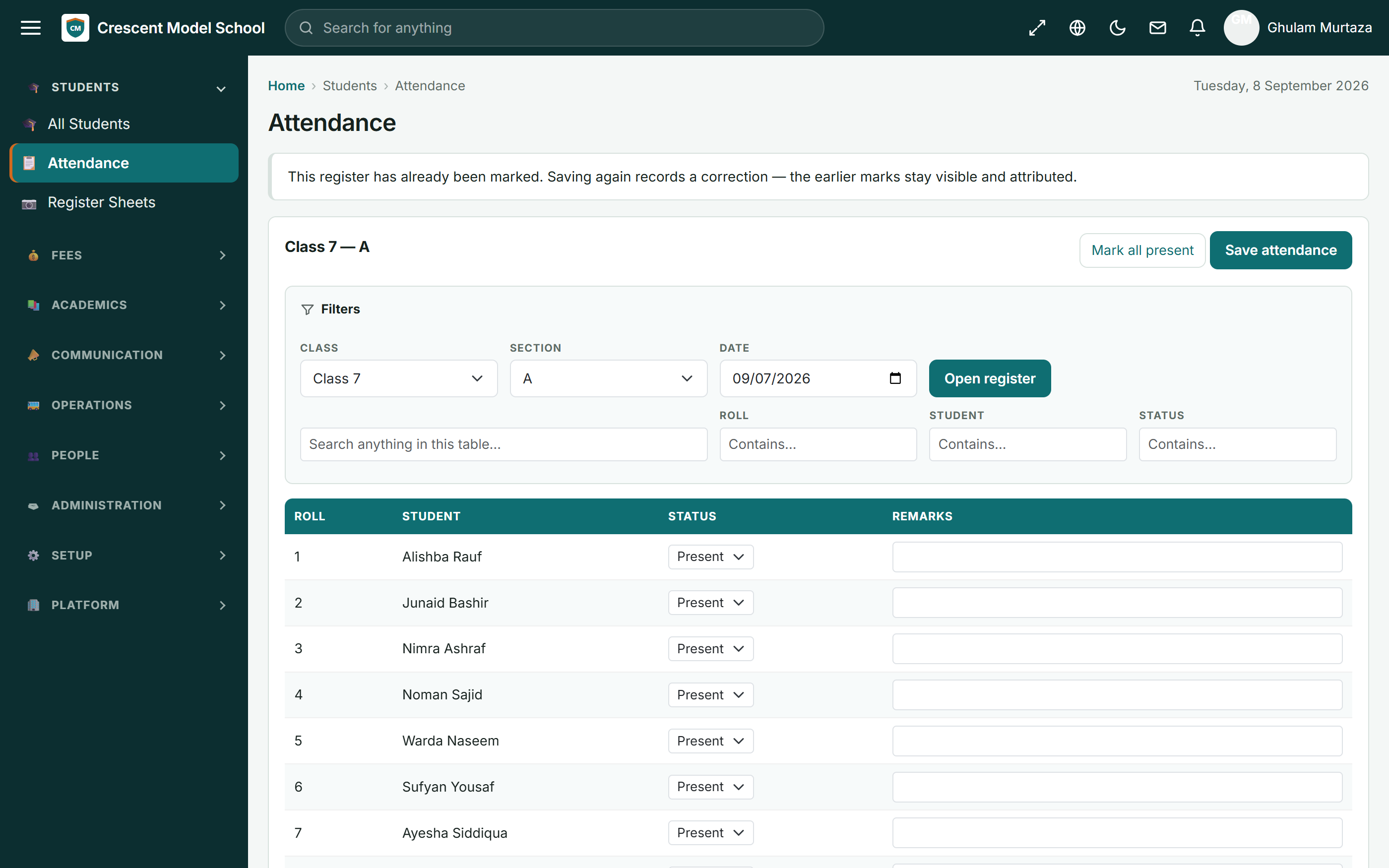
Designed around the fact that on an ordinary day most of a class is present. Everybody starts marked present and a teacher changes the exceptions.
- Pick the section and the date — Today by default. A previous day can be marked or corrected.
- Change the exceptions — One tap per student: absent, late, leave, or half day.
- Save — Parents of absent children are messaged the same morning, if the digest is configured for it.
- Correct it later if you need to — The correction is APPENDED. Both records stay visible with who marked each and when.
Fees and collection #
Three things to set up once, and then a counter that moves quickly for the rest of the year.
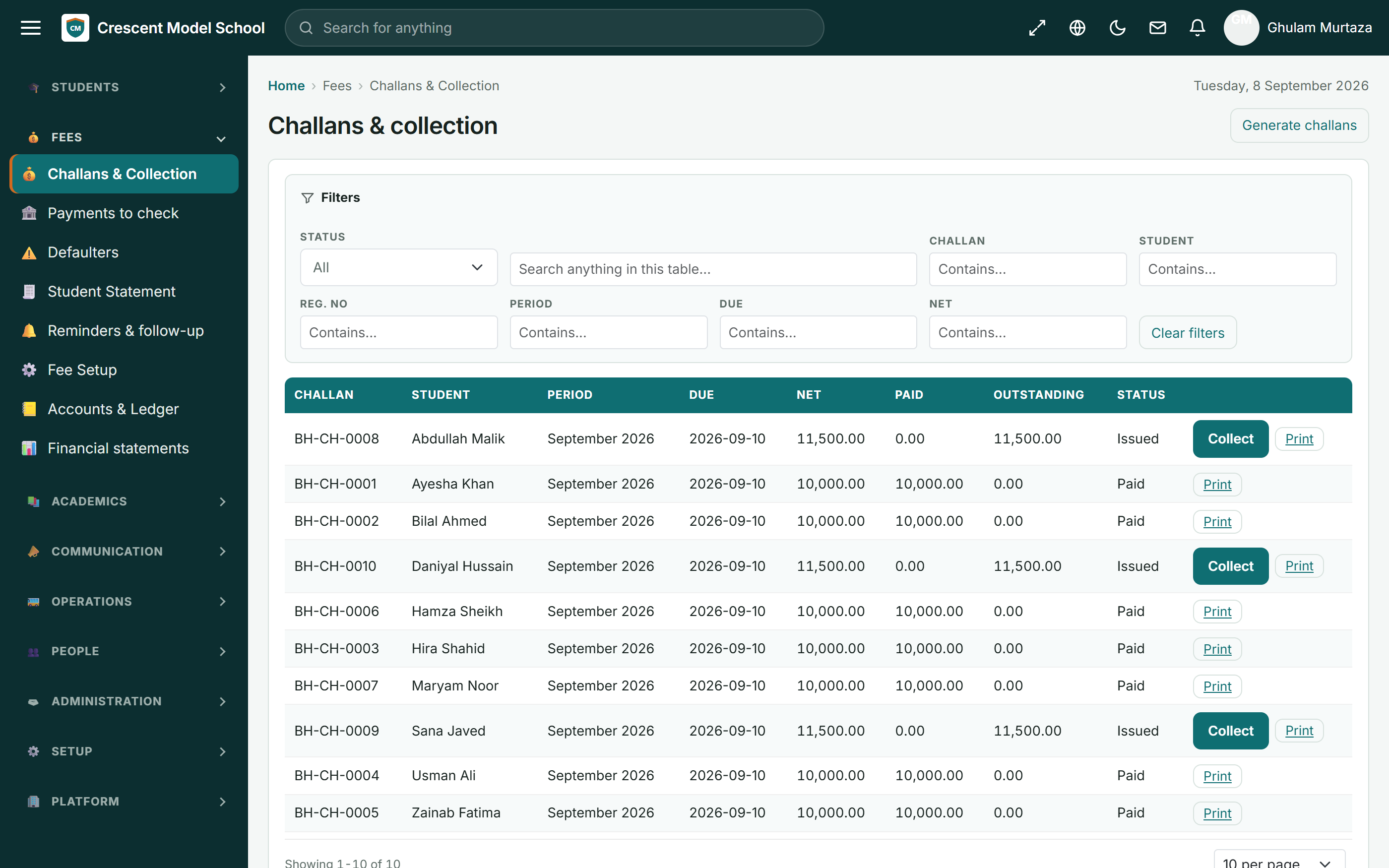
- Fee heads — Tuition, admission, transport, examination, laboratory — whatever your school charges, each as its own head.
- Fee structures — Which heads apply to which class, at what amount, in which session. This is the part only your school can define.
- Concessions — Sibling discounts, staff children, scholarships and hardship, applied as rules rather than as a figure somebody typed over.
- Generate challans — For a class, a section or the whole school, numbered gap-free, with a due date that drives everything afterwards.
- Collect — Cash at the counter, bank transfer with proof upload and verification, or online where a gateway is connected. Part payments are ordinary.
Accounts and the ledger #
Every payment and every adjustment writes a journal entry. Those entries cannot be edited or deleted by anybody, including us.
- A mistake is corrected with a REVERSAL entry, which leaves both the error and the correction visible. This is what makes a ledger worth showing an auditor
- Money is stored to four decimal places and rounded only when displayed, so a year of rounding does not quietly drift
- Statements per student, per class and per head, and collection by day
Timetable and syllabus #
Periods across a week per section, with the teacher and subject for each. Clashes are caught as you build rather than discovered on Monday morning.
- A teacher's own timetable falls out of this without being entered twice
- The syllabus records what is meant to be covered; lectures record what was. The gap between them is what a head of department actually wants to see
Examinations and results #
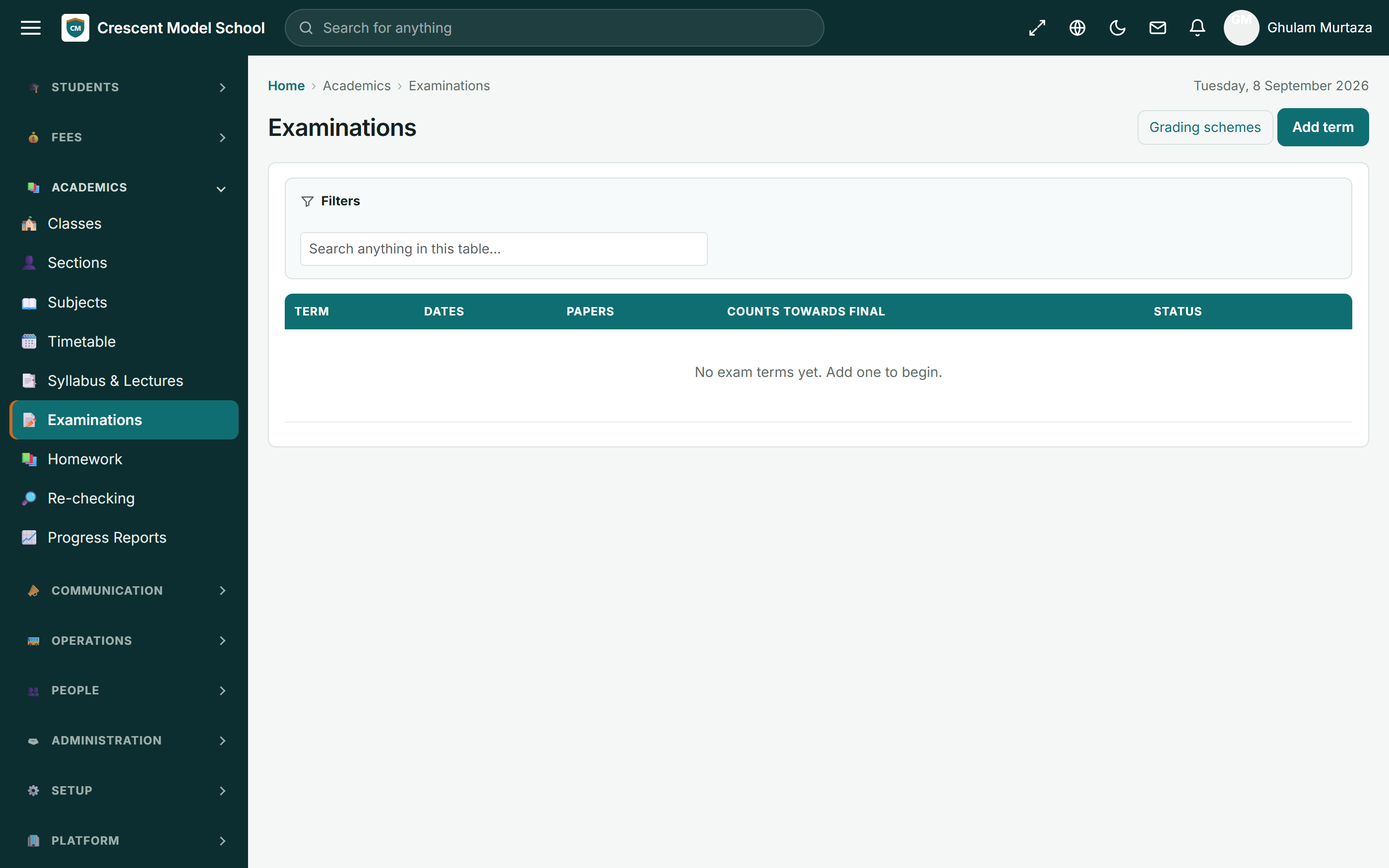
From defining a term to a printed result card, without a spreadsheet anywhere in the middle.
- Define the examination — A term, its papers, the total and passing marks for each, and which classes sit it.
- Enter marks — Across a grid, one subject at a time, with the tab order following how a person actually types. Never one form per student.
- Moderate — Nothing is visible to parents or students until it is published. This is the step that stops a mistyped mark reaching a family.
- Calculate — Grades from your grading scheme, percentages, and positions under your own rules — including whether an absent student is ranked and how a tie breaks.
- Publish and print — Result cards and progress reports as PDFs, on your letterhead, in your colours.
Homework and progress #
Homework is set per section per subject and appears in the student portal and in the parent's daily digest the same day. Progress reports compile across terms so a parent sees a trend rather than one number.
Communication and the daily digest #
The digest is the feature parents notice, and the one that decides whether they think the school has improved.
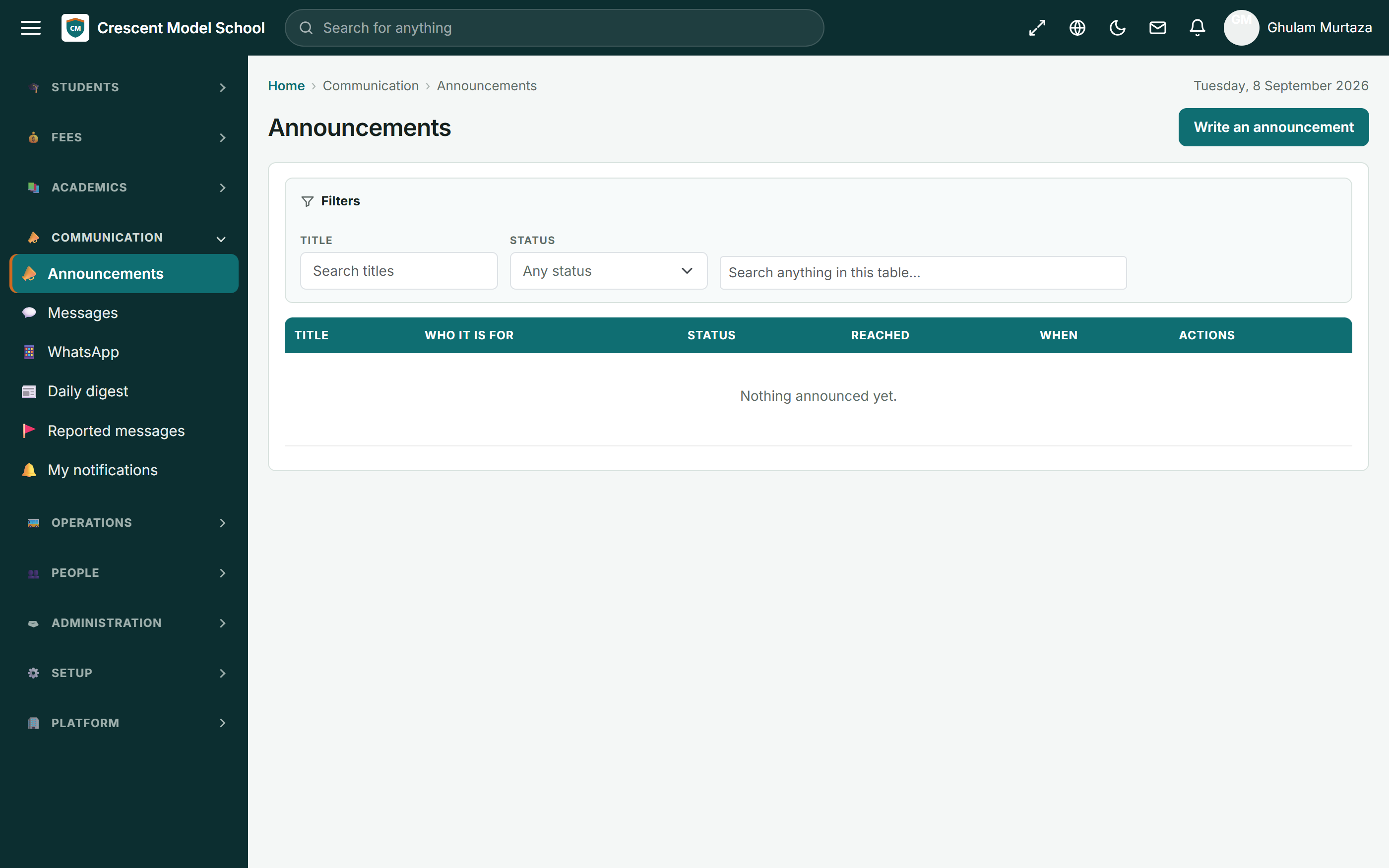
- Choose your sender — Our shared WhatsApp account works from day one with nothing to set up. Or connect your own verified number, through Meta directly or through Wetarseel.
- Choose what goes in — Attendance, homework, marks published today, fee dues, announcements. Each section can be switched off.
- Choose when — A send time in your own timezone. Most schools pick early evening, after the child is home.
- Let it run — It composes per family and queues. Nothing is sent from a page request, so nothing is lost because a browser closed.
Staff and payroll #
Staff records carry qualifications, joining date, designation, department and documents. Payroll turns a salary structure into a payslip.
- Allowances and deductions as named components rather than as one net figure
- Pakistani tax slabs computed in tested code
- Payslips rendered as PDFs in your school's colours
- Appraisals against criteria you set, so April's conversation is about a record
Transport #
Routes and stops, vehicles and their documents, drivers, and which student boards where.
- Per-stop fee slabs, so transport charges follow the distance rather than being one figure for everybody
- Vehicle documents with expiry dates that warn you before a fitness certificate lapses
- A bus manifest for each vehicle — who should be on it today
Library, health, gate and store #
- LIBRARY: titles and copies, issue and return, fines, and who has had a book since September
- HEALTH: medical records, allergies, infirmary visits, and the emergency contact whoever is on duty can find immediately
- GATE: who is on the premises, gate passes for early pick-up with who authorised them, and a visitor log
- STORE: uniforms, books and stationery — stock, issue, and what is owed
Reports #
Every list in the product exports to Excel. Beyond that, the reports that need real work are built as reports: attendance percentages over a date range, fee collection and ageing, defaulters, result compilation, payroll runs and financial statements.
The year-end rollover #
Promoting, retaining and graduating a whole school is the riskiest thing this product does, and it is built accordingly.
- Dry run first — Nothing is changed. You see exactly what would happen to every student, and can change any of it.
- Per-student decisions — Promote, retain or graduate, defaulted from results and overridable one by one.
- Run with progress — It processes in batches with progress you can watch, never as one transaction over twelve hundred children.
- Stop and resume — If something fails halfway, you fix it and continue rather than starting again.
Appearance and printed documents #
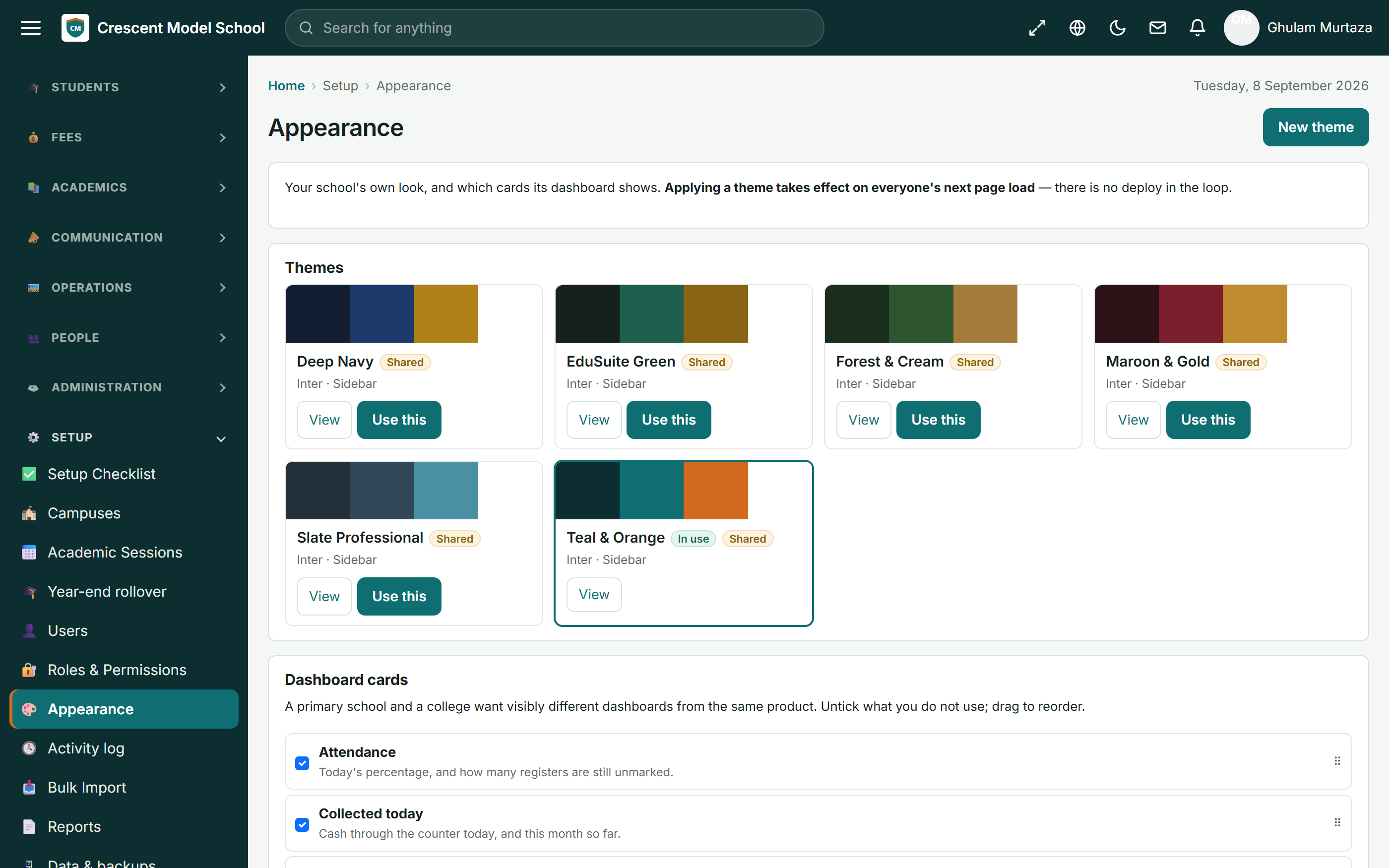
Your school's brand reaches further than the login screen. Create as many themes as you like and switch between them.
- Colours for the sidebar, header, headings, buttons, cards and page
- Fonts from a curated set, including Nastaliq faces with the line height that script actually needs, or upload your own
- Sidebar or top menu, corner rounding, and which charts the dashboard draws
- Your logo and colours on the challan, the result card, the certificate, the ID card and the payslip
Data, exports and backups #
Every list exports to Excel. Beyond that, there is a screen that produces a full export of everything your school holds, as files you can read without us.
- Requested from a screen, not from a support ticket
- Secrets are redacted rather than exported — your own WhatsApp token is not in the archive
- The activity log records who did what, when, and to which record
Something here not clear?
Tell us which part. The guide gets rewritten from the questions people ask.