Thirty seconds a class
Present is the default and a tap changes it. Across forty sections that is an hour of teaching time back every morning.
Attendance
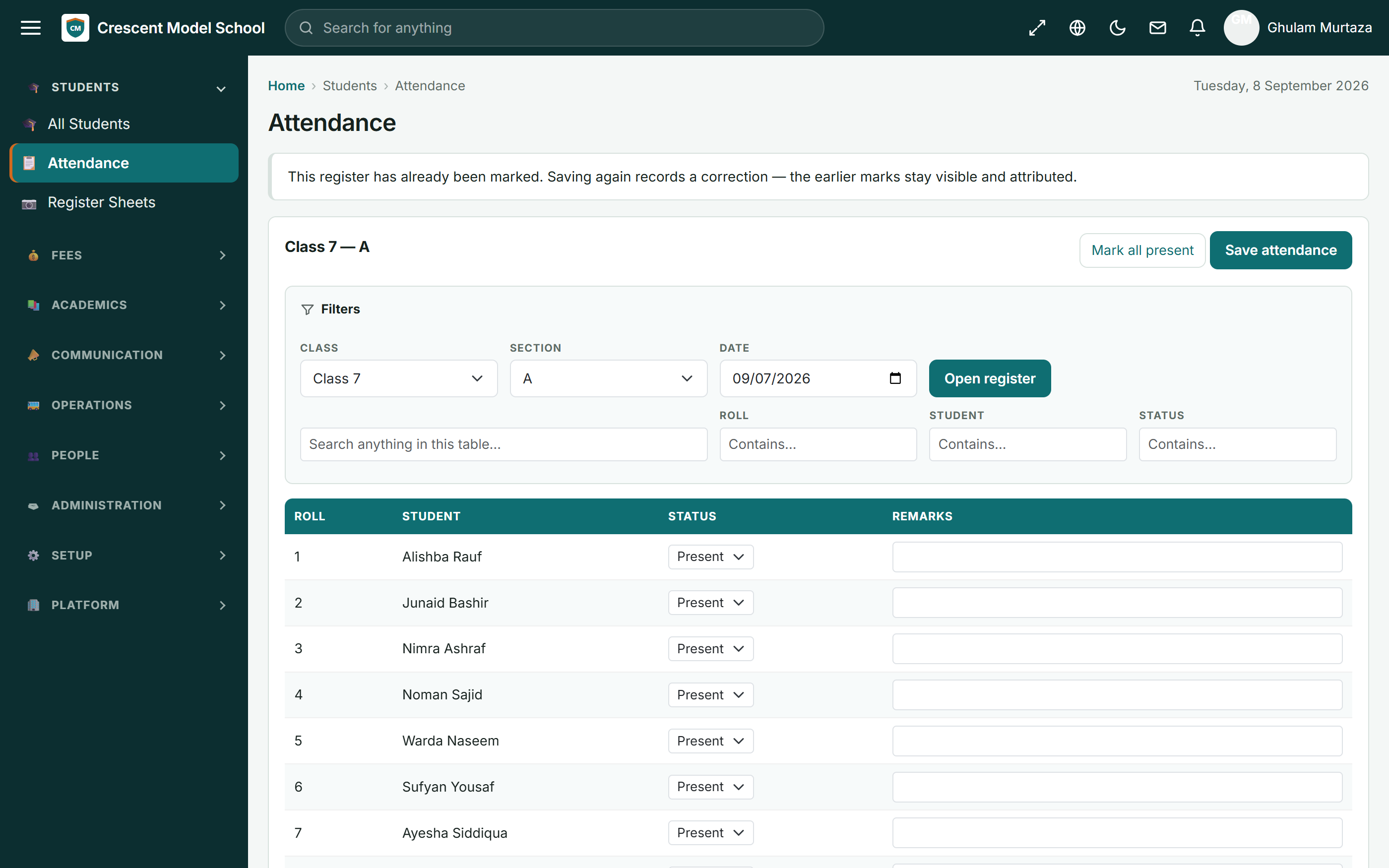
Everybody starts present, so a teacher only taps the exceptions. Every correction is kept with who made it, and on a day the internet is down, a printed sheet and a phone camera do the job.
Start a free trial See pricing
14 days free · No card required
On an ordinary day most of a class is in. The register opens with everyone present; one tap marks a child absent, late or on leave, and the class is done.
Present is the default and a tap changes it. Across forty sections that is an hour of teaching time back every morning.
Changing a mark adds a new record rather than overwriting the old one, both attributed and dated — because parents dispute attendance, and the question is always who changed it.
Print a sheet per section, let the teacher fill in the bubbles, photograph it, and the system reads every row. You confirm before anything is saved.
Attendance for any child, section, class or campus over any dates, with short attendance flagged before it becomes a problem.
Today's attendance goes into each family's evening WhatsApp digest, so an absence is noticed the same day, not at the parent-teacher meeting.
In the product
Built for speed rather than looks: big targets, one tap per exception, and a single Save.
Print a register sheet for each section. The teacher fills in a bubble per child, and later somebody photographs the sheet with a phone. EduSuite reads every row by position — and asks a person about any row it is not sure of.
A teacher sees only their own sections. Everyone is marked present.
Absent, late, leave — one tap each — then save. The whole class is recorded in one request.
On a day without internet, print the section's sheet, fill in the bubbles, and photograph it later. Doubtful rows are left blank for a person to decide.
The evening digest tells each family how their child's day went, attendance included.
No. The sheet's layout is ours, so the system reads the bubbles by position on our own server. No photograph of children's names is sent to a third party.
Yes, and both the original and the correction stay on the record with who made each and when.
Yes, if their role allows it. The record shows who actually marked it.
Yes. The register is a simple screen designed for a small phone, and the whole class is saved in one go.
Fourteen days free with everything in your plan switched on. No card to start, and we load a class list for you before the first call.
One message a day that parents actually read, announcements to exactly the right families, and chat.
Attendance, fees, homework and messages on a parent's phone; the register on a teacher's.
One record per child — guardians, siblings, documents and certificates — instead of four registers.