Routes on one screen
Stops in order, the children at each, and the vehicle and driver assigned.
Transport
Routes and stops, vehicles and drivers, transport fees by distance, and a boarding record that tells parents their child is on the bus.
Start a free trial See pricing
14 days free · No card required
Each child is assigned a route and a stop. The boarding record shows who got on and where, and parents are told — so the office is not the place they ring to find out.
Stops in order, the children at each, and the vehicle and driver assigned.
A distance slab per stop, so the right transport fee lands on the right challan.
A boarding record per trip, with a notification to the family.
Fitness certificates and documents with expiry dates, and a fuel and maintenance log per vehicle.
In the product
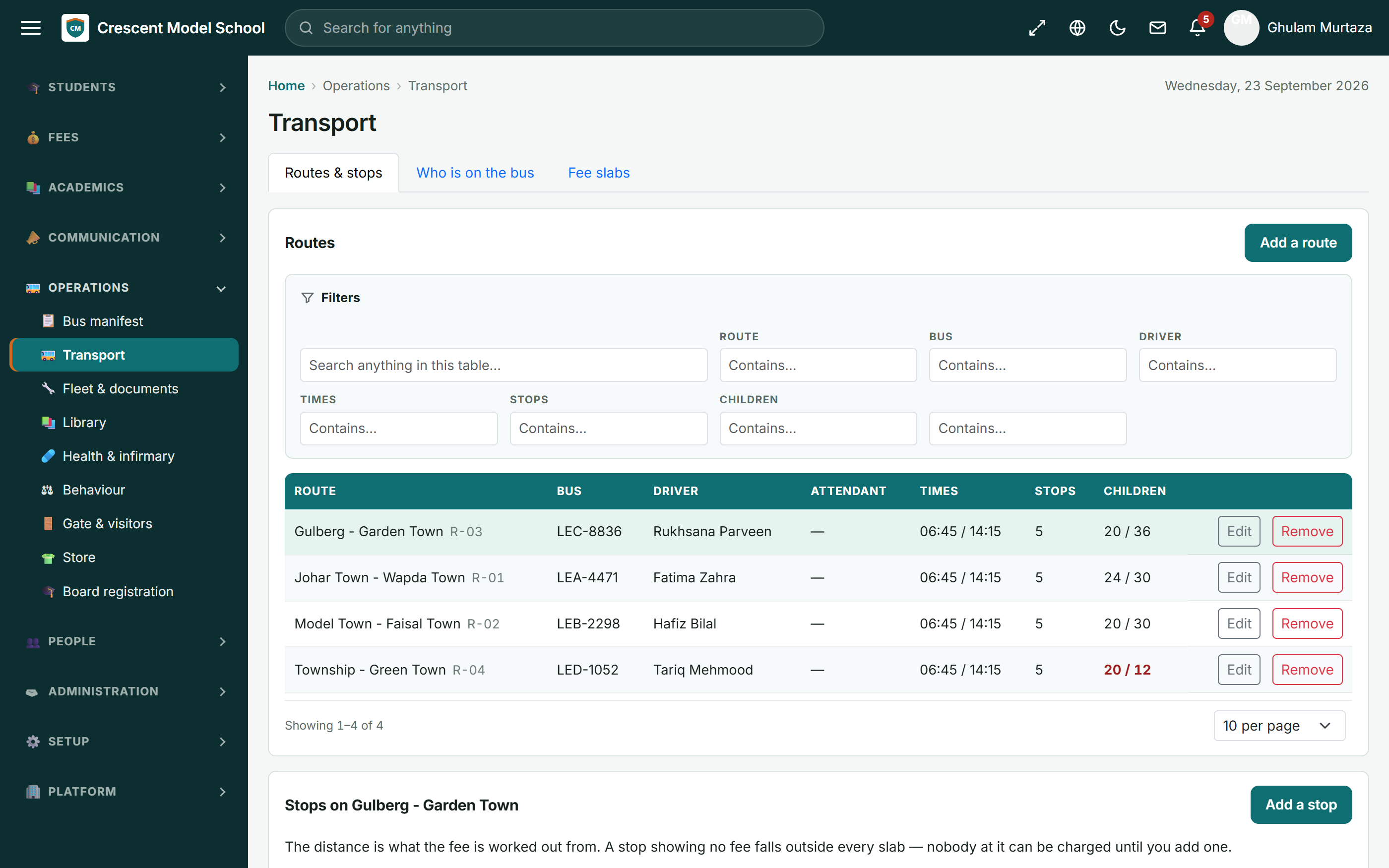
In the order the bus drives them, with a distance slab for each stop.
Each child to a route and stop; the fee follows automatically.
Mark who boarded each trip, and families are notified.
Not yet — see the note above. Parents are told when their child boards.
Transport is in the Standard and Professional plans. See pricing.
Fourteen days free with everything in your plan switched on. No card to start, and we load a class list for you before the first call.
Fee structures, concessions, three-part challans and a counter that takes a payment in thirty seconds.
Allergies that travel with the child, the sick room, visitors, and early pick-ups checked at the gate.
One message a day that parents actually read, announcements to exactly the right families, and chat.